A crisp, well-composed photo feels like a handshake. It says we care, we pay attention, and we deliver quality. Pairing edited images with quick motion previews from an AI clip maker lets creators show how a still will perform when animated or used in short promos, making the whole creative decision easier. Pippit helps small businesses and solo creators move from rough snapshots to polished visuals quickly, so your first impression becomes a reliable foundation for trust.
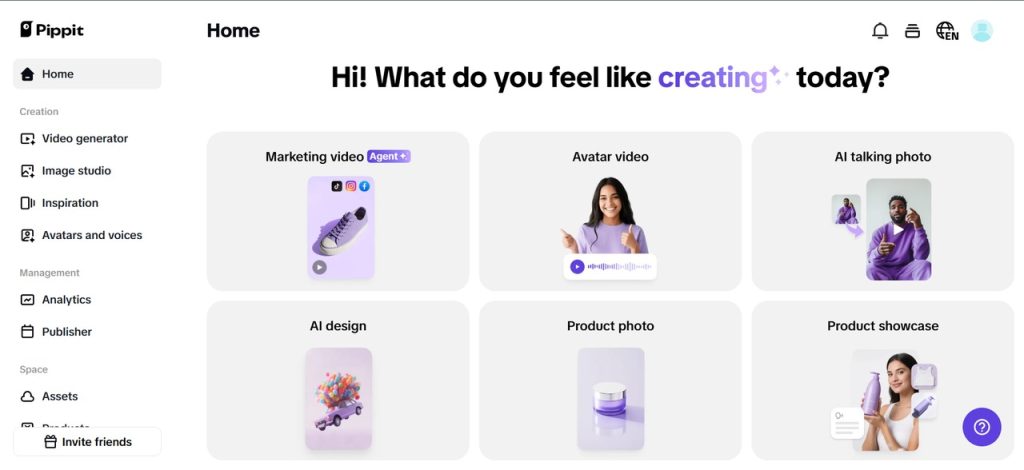
In this post, we will explain why editing matters for credibility, which subtle fixes produce the biggest trust gains, how to keep authenticity intact while polishing, and practical workflows that let you scale aesthetic consistency without burning time or budget.
Why polish signals professionalism more than you think
Humans assess competence in milliseconds, and visual cues are among the fastest signals. A tidy background, consistent color treatment, and readable thumbnails say the brand invests in presentation. That investment translates to perceived reliability. When a product looks considered, shoppers are more likely to assume the product itself is high-quality. When a founder’s portrait looks warm and clear, potential clients read competence into the personal brand.
The psychology is simple: polish reduces cognitive friction. Cleaner visuals make it easier for viewers to parse the message and act. On the other hand, amateur photos cause uncertainty due to their disarray and variable tones, which slows down decision-making and reduces conversions.
Consistency is the credibility currency
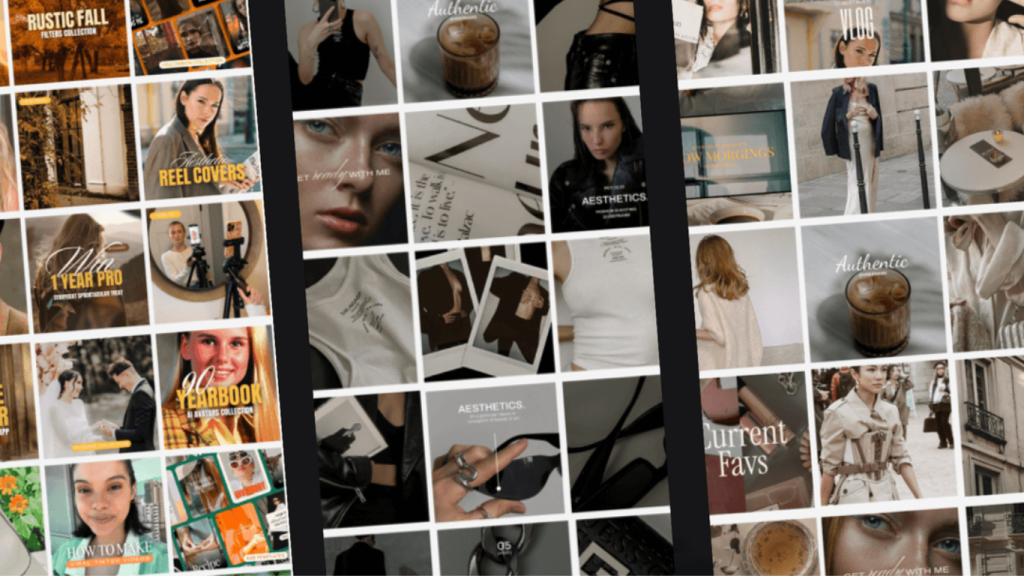
A single great photo is nice; a consistent feed is believable. Brands that publish visuals with repeatable color, contrast, and composition rules build familiarity. Over time, familiarity becomes trust. Create a short guide with three to five rules — a hero color family, shadow handling, and crop preferences — and apply them to every shoot. When followers can recognize your aesthetic without reading captions, your brand gains a form of passive authority.
Tell a true story, not a fake one
Polish must not become deception. Editing should remove distraction and emphasize truth, not invent it. Keep product colors accurate, respect skin tones, and avoid edits that change identifying features. When you enhance a service scene, preserve the cues that show it is real: tools on a workbench, handwritten notes, or genuine lighting. If you alter a background for clarity, be transparent in captions or behind-the-scenes posts. Audiences appreciate craft when they know it is craft, and transparency builds deeper trust.
Thumbnails and first-frame decisions that earn clicks
Most interactions begin with a thumbnail. A tiny 320 pixel crop that reads clearly will outperform a pristine but busy full-size image when pasted into a social feed. Tighten compositions for thumbnails, ensure faces are legible at small sizes, and preview assets in the exact environments they will appear. Small contrasts and clear negative space help headlines and CTAs land without fighting the image, which increases click-throughs and perceived reliability.
Inclusivity and honest editing
Well-edited content is easier for everyone to use. High contrast for text overlays, clear alt descriptions, and readable fonts ensure that your polished visuals are also accessible. Avoid excessive color shifts that reduce contrast and make sure any text you add meets legibility standards. Inclusive editing is credibility insurance; it shows you thought about the viewer, not just the metric.
Motion multiplies trust when done right
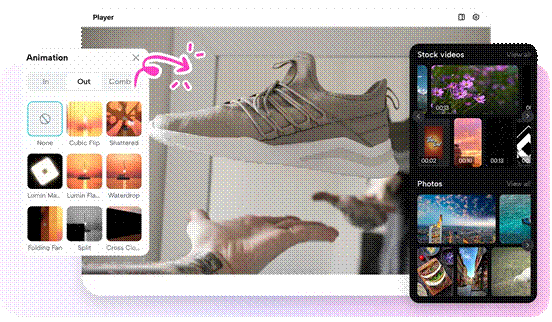
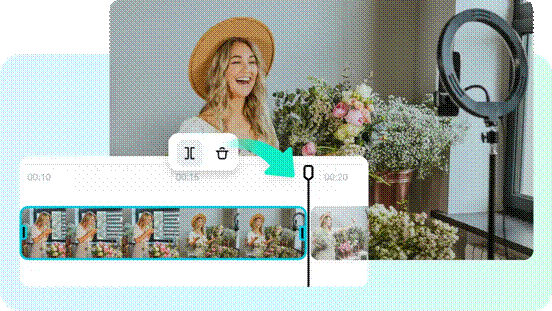
Moving images allow brands to demonstrate how a product works, offer short testimonials, and show processes in a few seconds. Animate cleaned photos into cinemagraphs, parallax stills, or short explainer clips. Use Pippit’s online video cutter to sync reveals and trims so each motion piece feels tight and professional. Motion gives depth to static polish and builds a richer impression of competence.
Testing what actually moves trust
Turn editing decisions into experiments. Create two variants of the same post with only one variable changed — warmer tone, reduced background clutter, or crisper crop — and test them on similar audiences. Track saves, shares, time on post, and conversion events. Often small visual improvements drive disproportionate lifts in engagement and trust metrics.
Workflow that scale for small teams
For solo creators, adopt a two-preset system: a baseline clean preset and a signature brand grade. For small teams, add a shared library of backdrop assets, export templates per platform, and a quick edit checklist to reduce review cycles. Batch sessions where you apply baseline fixes across a shoot, then refine high-priority frames for hero assets. This keeps production lean and ensures that polish does not become a bottleneck.
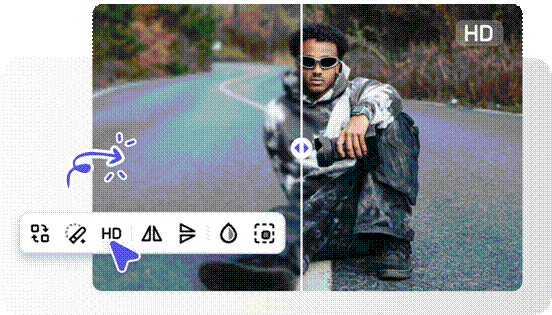
Pippit: an affordable tool that keep polish accessible
You do not need a high-end studio to achieve trustworthy visuals. Free or low-cost tools accelerate baseline work: batch exposure fixes, noise reduction, and simple background cleanups. If you want quick first-pass enhancements, consider Pippit’s free image enhancer online to handle the initial lift before you apply brand-grade presets. Then use Pippit to refine, batch, and export assets for every platform so your feed stays consistent week after week.
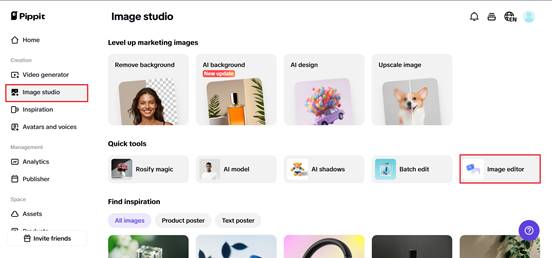
Step 1: Upload your images
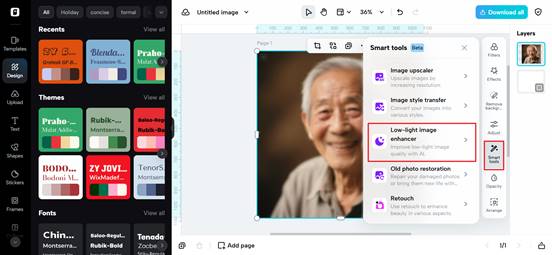
First, get the Pippit image resolution enhancer, go to Image Studio from the left menu, and select Upscale Image. Choose the device to import your picture. Alternatively, go to Image Editor, upload your photo, and select Image Upscaler from Smart Tools to allow AI to improve the image.
Step 2: Edit and upscale your images
Then apply Retouch to make the subject’s face look more beautiful, Effects for applying some colors to the image, or Low-Light Image Enhancer to correct the darkness and lack of luster. You can also overlay text, place stickers and shapes, create collages, and modify the texture and details of your images.
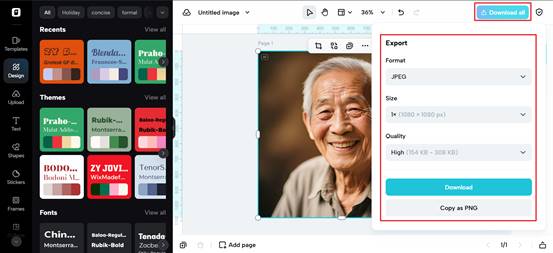
Step 3: Download your enhanced images
Click Download All on the top right of the Pippit enhancer picture. Define the format and size, and click Download to save the photo to your computer and utilize it in your projects.
Make polish your trust engine with Pippit
Editing is not deception; it is care. When you polish images thoughtfully, you signal competence, reduce friction, and make actions easier for your audience. Use accessible tools to lift baseline quality, maintain authenticity, and standardize your visual rules. Pippit helps you move from amateur to aesthetic with speed, consistency, and safeguards that protect truth.
Ready to turn your visuals into credibility? Open Pippit, run a quick enhancement on your next hero shot, and watch how polished images change the way customers see you.